【JavaScript】ゲームの戦闘っぽいデモ
 ar
ar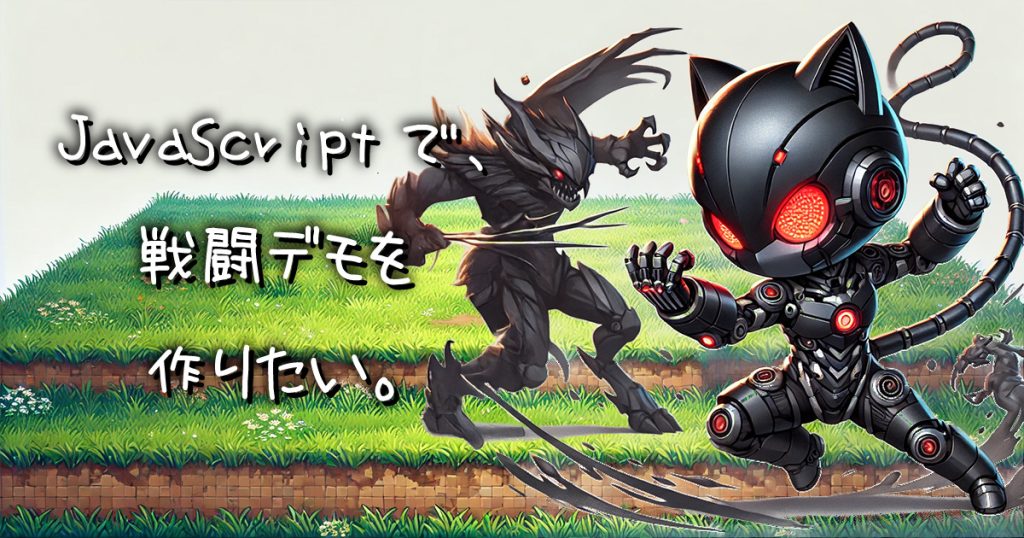
プレイヤー側と NPC 側の両者が自動的に敵に近づき、一定距離で戦闘を開始するシンプルな戦闘デモです。モンスターはそれぞれランダムな画像を読み込み、HP・攻撃力・防御力もランダムに設定されます。
1. ソースコード
<!DOCTYPE html>
<html lang="ja">
<head>
  <meta charset="UTF-8">
  <title>Monster Battle Game Demo</title>
  <style>
    body {
      margin: 0;
      overflow: hidden;
      background-color: #222;
      color: #fff;
      font-family: sans-serif;
    }
    #gameArea {
      position: relative;
      width: 100vw;
      height: 100vh;
      overflow: hidden;
      background-image: url('/img/background.png');
      background-size: cover;
      background-position: center;
      background-repeat: no-repeat;
      position: relative;
      margin: auto;
    }
    /* 画像本来のサイズを利用するため、固定サイズ指定はしていません */
    .monster-container {
      position: absolute;
      pointer-events: none;
    }
    .monster-container img {
      display: block;
    }
    .hp-bar {
      position: absolute;
      top: -8px;
      left: 0;
      width: 100%;
      height: 5px;
      border: 1px solid #000;
      box-sizing: border-box;
    }
    #message {
      position: absolute;
      top: 10px;
      left: 10px;
      z-index: 1000;
      background: rgba(0,0,0,0.7);
      padding: 5px 10px;
      border-radius: 4px;
    }
  </style>
</head>
<body>
  <div id="gameArea"></div>
  <div id="message"></div>
  <script>
    // 定数
    const gameArea = document.getElementById("gameArea");
    const messageEl = document.getElementById("message");
    let monsters = [];

    // モンスターの出現数
    const NPC_COUNT = 10;
    const PLAYER_COUNT = 10;

    const GAME_WIDTH = gameArea.offsetWidth;
    const GAME_HEIGHT = gameArea.offsetHeight;
    const MOVE_SPEED = 2;              // 敵に向かう基本移動速度
    const COLLISION_FACTOR = 1.6;      // 戦闘発生判定用の中心距離の係数
    const ATTACK_COOLDOWN = 1000;      // 戦闘処理のクールダウン (ms)
    const SPAWN_MARGIN = 20;           // 初期配置時の余白
    const REPULSE_STRENGTH = 10;       // 戦闘時の弾きの強さ

    // 画像未読み込み時のデフォルトサイズ
    let DEFAULT_MONSTER_WIDTH = 50;
    let DEFAULT_MONSTER_HEIGHT = 50;

    class Monster {
      constructor(type, x, y) {
        this.type = type; // "player" または "npc"
        this.maxHp = Math.floor(Math.random() * 50) + 50; // HP: 50~100
        this.hp = this.maxHp;
        this.attack = Math.floor(Math.random() * 10) + 5;   // 攻撃力: 5~14
        this.defense = Math.floor(Math.random() * 5) + 1;     // 防御力: 1~5

        // ランダム画像番号(001~250)
        const num = ("000" + (Math.floor(Math.random() * 250) + 1)).slice(-3);
        this.imgSrc = `/img/mon_${num}.gif`;

        // コンテナ作成(HPバー+画像)
        this.container = document.createElement("div");
        this.container.classList.add("monster-container");

        // HPバー作成
        this.hpBar = document.createElement("div");
        this.hpBar.classList.add("hp-bar");
        this.hpBar.style.backgroundColor = (this.type === "npc") ? "red" : "green";
        this.container.appendChild(this.hpBar);

        // 画像要素の作成
        this.el = document.createElement("img");
        this.el.src = this.imgSrc;
        if (this.type === "player") {
          this.el.style.transform = "scaleX(-1)";
        }
        this.container.appendChild(this.el);

        // 初期位置設定
        this.x = x;
        this.y = y;
        this.container.style.left = this.x + "px";
        this.container.style.top = this.y + "px";

        // 初期はデフォルトサイズ(画像読み込み前)
        this.width = DEFAULT_MONSTER_WIDTH;
        this.height = DEFAULT_MONSTER_HEIGHT;

        this.lastAttackTime = 0;
        this.vx = 0;
        this.vy = 0;
        this.flashTimeout = null;

        // 画像読み込み完了後、自然サイズへ更新
        this.el.onload = () => {
          this.width = this.el.naturalWidth;
          this.height = this.el.naturalHeight;
          this.container.style.width = this.width + "px";
          this.container.style.height = this.height + "px";
          // spawn位置の計算に利用されるグローバル値も更新(初回のみ)
          if (DEFAULT_MONSTER_WIDTH === 50 && DEFAULT_MONSTER_HEIGHT === 50) {
            DEFAULT_MONSTER_WIDTH = this.width;
            DEFAULT_MONSTER_HEIGHT = this.height;
          }
        };
      }

      move(allMonsters) {
        // -- 分離(Separation)アルゴリズム --
        let sepForce = { x: 0, y: 0 };
        let count = 0;
        const currentWidth = this.width || DEFAULT_MONSTER_WIDTH;
        const currentHeight = this.height || DEFAULT_MONSTER_HEIGHT;
        const thisCenter = {
          x: this.x + currentWidth / 2,
          y: this.y + currentHeight / 2
        };
        const sepThreshold = Math.max(currentWidth, currentHeight) * 0.8;
        allMonsters.forEach(other => {
          if (other === this) return;
          const otherWidth = other.width || DEFAULT_MONSTER_WIDTH;
          const otherHeight = other.height || DEFAULT_MONSTER_HEIGHT;
          const otherCenter = {
            x: other.x + otherWidth / 2,
            y: other.y + otherHeight / 2
          };
          const dx = thisCenter.x - otherCenter.x;
          const dy = thisCenter.y - otherCenter.y;
          const dist = Math.sqrt(dx * dx + dy * dy);
          if (dist < sepThreshold && dist > 0) {
            sepForce.x += (dx / dist) * (sepThreshold - dist);
            sepForce.y += (dy / dist) * (sepThreshold - dist);
            count++;
          }
        });
        if (count > 0) {
          sepForce.x /= count;
          sepForce.y /= count;
          const separationStrength = 0.7;
          this.vx += sepForce.x * separationStrength;
          this.vy += sepForce.y * separationStrength;
        }
        // ---------------------------------------

        // 次の位置を計算
        let newX = this.x + this.vx;
        let newY = this.y + this.vy;

        // 画面外に出ないように判定・反転(バウンド)させる
        if (newX < 0) {
          newX = 0;
          this.vx = Math.abs(this.vx); // 内向きに反転
        }
        if (newX > GAME_WIDTH - currentWidth) {
          newX = GAME_WIDTH - currentWidth;
          this.vx = -Math.abs(this.vx);
        }
        if (newY < 0) {
          newY = 0;
          this.vy = Math.abs(this.vy);
        }
        if (newY > GAME_HEIGHT - currentHeight) {
          newY = GAME_HEIGHT - currentHeight;
          this.vy = -Math.abs(this.vy);
        }

        this.x = newX;
        this.y = newY;
        this.container.style.left = this.x + "px";
        this.container.style.top = this.y + "px";
        // モンスターの下端の座標を z-index に反映
        this.container.style.zIndex = Math.floor(this.y + currentHeight);
      }

      flashDamage() {
        if (this.flashTimeout) {
          clearTimeout(this.flashTimeout);
        }
        this.container.style.backgroundColor = "red";
        this.flashTimeout = setTimeout(() => {
          this.container.style.backgroundColor = "";
          this.flashTimeout = null;
        }, 100);
      }

      updateHpBar() {
        const ratio = Math.max(this.hp, 0) / this.maxHp;
        this.hpBar.style.width = (ratio * 100) + "%";
      }

      battle(opponent, now) {
        if (now - this.lastAttackTime < ATTACK_COOLDOWN) return;
        const damageToOpp = Math.max(1, this.attack - opponent.defense);
        const damageToSelf = Math.max(1, opponent.attack - this.defense);
        opponent.hp -= damageToOpp;
        this.hp -= damageToSelf;
        this.flashDamage();
        opponent.flashDamage();
        this.updateHpBar();
        opponent.updateHpBar();
        console.log(`${this.type}(${this.hp}) vs ${opponent.type}(${opponent.hp})`);
        this.lastAttackTime = now;
        opponent.lastAttackTime = now;

        // 戦闘時、中心点からの距離に応じて反発
        const thisCenter = {
          x: this.x + (this.width || DEFAULT_MONSTER_WIDTH) / 2,
          y: this.y + (this.height || DEFAULT_MONSTER_HEIGHT) / 2
        };
        const oppCenter = {
          x: opponent.x + (opponent.width || DEFAULT_MONSTER_WIDTH) / 2,
          y: opponent.y + (opponent.height || DEFAULT_MONSTER_HEIGHT) / 2
        };
        const dx = oppCenter.x - thisCenter.x;
        const dy = oppCenter.y - thisCenter.y;
        const dist = Math.sqrt(dx * dx + dy * dy) || 1;
        this.vx = - (dx / dist) * REPULSE_STRENGTH;
        this.vy = - (dy / dist) * REPULSE_STRENGTH;
        opponent.vx = (dx / dist) * REPULSE_STRENGTH;
        opponent.vy = (dy / dist) * REPULSE_STRENGTH;
      }
    }

    // spawn時の配置重なりを防ぐための配列
    const spawnPositions = [];
    function generateSpawnPosition(type) {
      const defW = DEFAULT_MONSTER_WIDTH;
      const defH = DEFAULT_MONSTER_HEIGHT;
      let xMin, xMax;
      if (type === "npc") {
        xMin = 0;
        xMax = GAME_WIDTH / 2 - defW;
      } else {
        xMin = GAME_WIDTH / 2;
        xMax = GAME_WIDTH - defW;
      }
      const yMin = 0;
      const yMax = GAME_HEIGHT - defH;
      let attempt = 0;
      while (attempt < 1000) {
        const x = Math.random() * (xMax - xMin) + xMin;
        const y = Math.random() * (yMax - yMin) + yMin;
        let overlap = spawnPositions.some(pos => {
          return Math.abs(pos.x - x) < defW + SPAWN_MARGIN &&
                 Math.abs(pos.y - y) < defH + SPAWN_MARGIN;
        });
        if (!overlap) {
          spawnPositions.push({ x, y });
          return { x, y };
        }
        attempt++;
      }
      return { x: xMin, y: yMin };
    }

    // NPC の生成(画面左半分)
    for (let i = 0; i < NPC_COUNT; i++) {
      const pos = generateSpawnPosition("npc");
      const m = new Monster("npc", pos.x, pos.y);
      monsters.push(m);
      gameArea.appendChild(m.container);
    }
    // プレイヤー の生成(画面右半分)
    for (let i = 0; i < PLAYER_COUNT; i++) {
      const pos = generateSpawnPosition("player");
      const m = new Monster("player", pos.x, pos.y);
      monsters.push(m);
      gameArea.appendChild(m.container);
    }

    function updateGame() {
      const now = Date.now();

      // 各モンスターは、敵方向へ追従しながら移動
      monsters.forEach(m => {
        let target = null;
        let minDist = Infinity;
        monsters.forEach(o => {
          if (o.type !== m.type) {
            const mCenter = {
              x: m.x + (m.width || DEFAULT_MONSTER_WIDTH) / 2,
              y: m.y + (m.height || DEFAULT_MONSTER_HEIGHT) / 2
            };
            const oCenter = {
              x: o.x + (o.width || DEFAULT_MONSTER_WIDTH) / 2,
              y: o.y + (o.height || DEFAULT_MONSTER_HEIGHT) / 2
            };
            const dx = oCenter.x - mCenter.x;
            const dy = oCenter.y - mCenter.y;
            const dist = Math.sqrt(dx * dx + dy * dy);
            if (dist < minDist) {
              minDist = dist;
              target = o;
            }
          }
        });
        if (target) {
          const dx = target.x - m.x;
          const dy = target.y - m.y;
          const len = Math.sqrt(dx * dx + dy * dy);
          if (len > 0) {
            m.vx = (dx / len) * MOVE_SPEED;
            m.vy = (dy / len) * MOVE_SPEED;
          }
        }
        m.move(monsters);
      });

      // 戦闘判定(中心間距離とサイズに基づく閾値)
      for (let i = 0; i < monsters.length; i++) {
        for (let j = i + 1; j < monsters.length; j++) {
          const m1 = monsters[i];
          const m2 = monsters[j];
          if (m1.type !== m2.type) {
            const m1Center = {
              x: m1.x + (m1.width || DEFAULT_MONSTER_WIDTH) / 2,
              y: m1.y + (m1.height || DEFAULT_MONSTER_HEIGHT) / 2
            };
            const m2Center = {
              x: m2.x + (m2.width || DEFAULT_MONSTER_WIDTH) / 2,
              y: m2.y + (m2.height || DEFAULT_MONSTER_HEIGHT) / 2
            };
            const dx = m1Center.x - m2Center.x;
            const dy = m1Center.y - m2Center.y;
            const dist = Math.sqrt(dx * dx + dy * dy);
            const m1Size = m1.width || DEFAULT_MONSTER_WIDTH;
            const m2Size = m2.width || DEFAULT_MONSTER_WIDTH;
            const collisionThreshold = Math.max(m1Size, m2Size) * COLLISION_FACTOR;
            if (dist < collisionThreshold) {
              m1.battle(m2, now);
            }
          }
        }
      }

      // HP 0 以下になったモンスターを削除
      monsters = monsters.filter(m => {
        if (m.hp <= 0) {
          gameArea.removeChild(m.container);
          return false;
        }
        return true;
      });

      const playersLeft = monsters.filter(m => m.type === "player").length;
      const npcsLeft = monsters.filter(m => m.type === "npc").length;
      if (playersLeft === 0 || npcsLeft === 0) {
        messageEl.textContent = (playersLeft === 0)
          ? "NPC の勝利!" : "プレイヤー の勝利!";
        return;
      } else {
        messageEl.textContent = `プレイヤー: ${playersLeft}体 NPC: ${npcsLeft}体`;
      }

      requestAnimationFrame(updateGame);
    }

    updateGame();
  </script>
</body>
</html>
2. コード解説
2.1 Monster クラス
各モンスターはこのクラスのインスタンスとして生成され、以下のような特徴やメソッドを持っています。
プロパティ
- 種別(type)player か npc のいずれか。これにより、初期配置や戦闘対象の判定に利用。
- 能力値
- maxHp , hp:50~100
- attack:5〜14
- defense:1〜5
- 画像 乱数で 001~250 の画像番号を選び /img/mon_###.gif というパスで画像を設定。
- プレイヤーの場合は
transform: scaleX(-1)で左右反転させます。
- プレイヤーの場合は
- DOM 要素
- container:モンスターコンテナの <div> 要素
- hpBar:コンテナ内に配置される HP 表示用の <div> 要素
- el:画像要素 <img>
- 移動と戦闘用の変数
- x, y:現在位置。
- vx, vy:現在の移動速度ベクトル。
- lastAttackTime:前回の戦闘発生時刻。これにより攻撃のクールダウンが実現されます。
メソッド
- move(allMonsters)
- 次の位置を vx と vy を使って計算。
- 画面外に出ないように、また willCollideForbidden で障害物となる領域にぶつからないかを確認。
- 問題なければ、実際の位置と DOM のスタイル (left, top) を更新します。
- zIndex を y 座標に基づいて設定しているため、画面下にいるモンスターが前面に来るようになり、重なり順が自然に表現されます。
- flashDamage()
- 被ダメージ時にコンテナの背景色を一瞬赤に変更し、視覚的にダメージを示すエフェクトを行います。
- updateHpBar()
- 現在の HP 割合により HP バーの横幅(%)を更新。これにより、ダメージの進行が分かりやすく表示されます。
- battle(opponent, now)
- 戦闘処理を実行。
- クールダウンチェック:直近の攻撃から一定時間 (ATTACK_COOLDOWN) 経過していなければ処理をスキップ。
- ダメージ計算:
- 自分から敵へのダメージは Math.max(1, this.attack - opponent.defense) で最低ダメージ 1 を保証。
- 同じように、敵から自分への反撃的なダメージも計算。
- HP 更新と演出:双方の HP を更新し、flashDamage() と updateHpBar() で視覚エフェクトを反映。
- ログ出力:どちらのタイプがどの程度 HP を残しているかをコンソールに出力。
- 弾き(リパルス)処理:
- 戦闘時、互いの中心点からのベクトル(dx, dy)を計算し、正規化して REPULSE_STRENGTH 倍することで、速やかに離れるように速度ベクトル(vx, vy)を設定します。
2.2 スポーン位置の生成 (generateSpawnPosition)
- 目的 ゲーム開始時にモンスターが重ならないように、また一定の余白(
SPAWN_MARGIN)を確保して配置するための関数です。 - 処理内容
- NPC とプレイヤーで初期配置の横方向の範囲を分け、NPC は画面左半分、プレイヤーは右半分に配置。
- ランダムに位置を決め、すでに配置された位置との距離が一定以上離れているかを判定。
- 1000回以内に問題のない位置が得られなければ、デフォルト位置を返す仕組みになっています。
3. 注意ポイント
3.1. 動的な画像サイズと初期配置の工夫
モンスター画像のサイズは、実際の画像サイズを使用している。固定値にせず、画像ごとにサイズが異なる。当たり判定や移動範囲に不整合が生じないように、以下のような工夫を施しました。
- 画像読み込み完了後に画像サイズを取得 コンストラクタ内で、画像の onload イベントを活用して
this.width = this.el.naturalWidth;
this.height = this.el.naturalHeight;
と実際のサイズを反映。これにより、当たり判定や 出現 位置計算も正確に行えます。
- 出現位置の算出 キャラクターが画面外に出ないよう、左右の領域を分けた上で、モンスター画像のサイズ分だけ余裕を持った位置にランダム配置しています。 spawnPositions 配列を利用して「重なり」をある程度防止する実装も取り入れています。
3.2. 分離アルゴリズムで自然な回避動作を実現
- 周囲のモンスターとの中心間距離を計算 各モンスターの中心位置を求め、一定の閾値内にある場合に、相手との相対ベクトルを計算します。
const dx = thisCenter.x - otherCenter.x;
const dy = thisCenter.y - otherCenter.y;
const dist = Math.sqrt(dx * dx + dy * dy);- 反発力の加算 閾値(sepThreshold)を下回る場合は、距離が近いほど強く反発するよう、
sepForce.x += (dx / dist) * (sepThreshold - dist);
sepForce.y += (dy / dist) * (sepThreshold - dist);
と計算し、最終的にその反発ベクトルを速度(vx, vy)に加算しています。
この実装により、モンスター同士が自然な動きで互いを避けながら、追従動作も維持することができるようになりました。
3.3. 画面端でのバウンド処理
- 座標のクランプと速度反転 例えば、水平方向については以下のように実装しています。
if (newX < 0) {
  newX = 0;
  this.vx = Math.abs(this.vx);
}
if (newX > GAME_WIDTH - currentWidth) {
  newX = GAME_WIDTH - currentWidth;
  this.vx = -Math.abs(this.vx);
}
垂直方向も同様に、端に到達したときに内向きへ速度を反転させることで、キャラクターが自然にバウンドし続け、常に動きを維持します。
3.4. ダメージ時のフラッシュ演出の改善
ダメージを受けた際に、一瞬背景色が赤くフラッシュする演出を実装します。連続してダメージを受けたときタイマーが重複してしまい、赤い状態が持続する問題も発生します。 そこで、タイマーIDの管理を行い、既存のタイマーをクリアする実装を加えます。
if (this.flashTimeout) {
  clearTimeout(this.flashTimeout);
}
this.container.style.backgroundColor = "red";
this.flashTimeout = setTimeout(() => {
  this.container.style.backgroundColor = "";
  this.flashTimeout = null;
}, 100);
これにより、確実に赤い背景がリセットされるようになります。
まとめ
今回の実装では、以下の点に注力しました。
- 動的サイズ:画像読み込み後に実際のサイズを用いることで、当たり判定やレイアウトの整合性。
- 分離アルゴリズム:キャラクター同士が近すぎる場合に自然に反発する力を加え、動かなくなる状況(デッドロック)を回避。
- バウンド処理:画面端にぶつかったとき、キャラクターが内側に反射することで常に動き続ける。
- ダメージフラッシュの改善:タイマー管理により、フラッシュ表示が正しくリセットされるように設定。
このコードをもとに、さらに独自の工夫を加えたゲーム開発にチャレンジしてみてください!