【JavaScript】パーティクルエフェクトデモ
 ar
ar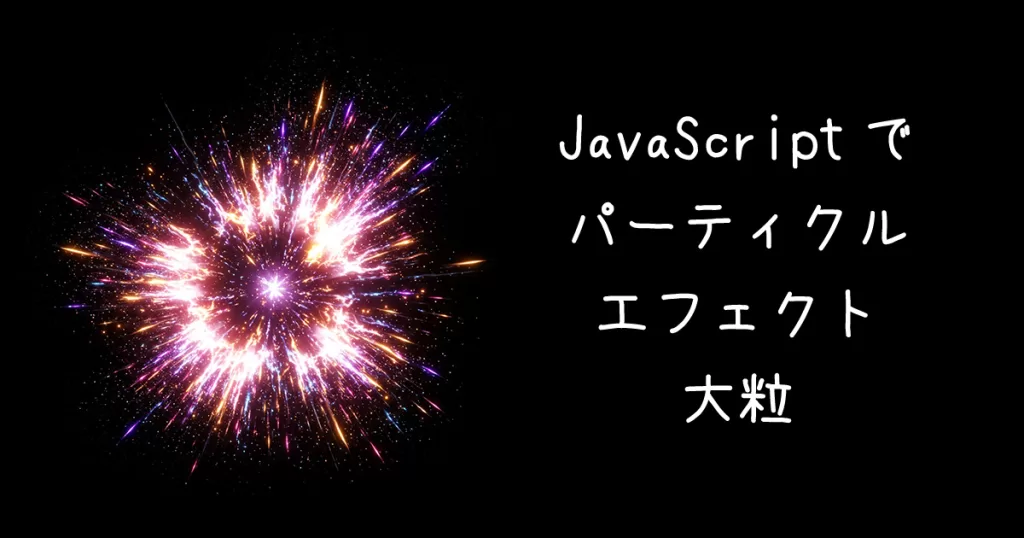
パーティクル(光の粒)を使ったアニメーションエフェクトのデモと、ソースコードです。
アイデアのネタにしてくださ。
パーティクル爆発エフェクトデモ
マウスクリックでエフェクト
<style>
    #containerA {
    width: 100%;
    height: 480px;
    background:#000;
    }
    #canvasA {
        display: block;
        width: 100%;
        height: 100%;
    }
</style>
<div id="containerA">
<canvas id="canvasA"></canvas>
</div>
<script>
    // キャンバスとコンテキストの取得
    const canvasA = document.getElementById('canvasA');
    const containerA = document.getElementById('containerA');
    const ctxA = canvasA.getContext('2d');
    canvasA.width = containerA.offsetWidth;
    canvasA.height = containerA.offsetHeight;

    // パーティクルを管理する配列
    let particles = [];

    // パーティクルクラスの定義(位置、速度、色、減衰など)
    class Particle {
      constructor(x, y) {
        this.x = x;
        this.y = y;
        this.radius = Math.random() * 3 + 2;
        this.angle = Math.random() * Math.PI * 2;
        this.speed = Math.random() * 6 + 2;
        this.vx = Math.cos(this.angle) * this.speed;
        this.vy = Math.sin(this.angle) * this.speed;
        this.alpha = 1;
        this.decay = Math.random() * 0.03 + 0.015;
        this.hue = Math.floor(Math.random() * 360);
      }
      update() {
        this.x += this.vx;
        this.y += this.vy;
        // 重力効果をシンプルに追加
        this.vy += 0.05;
        this.alpha -= this.decay;
      }
      draw() {
        ctxA.save();
        ctxA.globalAlpha = this.alpha;
        ctxA.beginPath();
        ctxA.arc(this.x, this.y, this.radius, 0, Math.PI * 2);
        ctxA.fillStyle = `hsl(${this.hue}, 100%, 50%)`;
        ctxA.fill();
        ctxA.restore();
      }
    }

    // 爆発エフェクトを作成する関数
    function createExplosion(x, y) {
      canvasA.width = canvasA.offsetWidth;
      canvasA.height = canvasA.offsetHeight;
      const particleCount = 80;
      for (let i = 0; i < particleCount; i++) {
        particles.push(new Particle(x, y));
      }
    }

    // アニメーションループ
    function animate() {
      requestAnimationFrame(animate);
      // 半透明の黒で画面を塗り重ね、トレール効果を実現
      ctxA.fillStyle = 'rgba(0, 0, 0, 0.1)';
      ctxA.fillRect(0, 0, canvasA.width, canvasA.height);

      // 全パーティクルの更新&描画
      for (let i = particles.length - 1; i >= 0; i--) {
        const p = particles[i];
        p.update();
        p.draw();
        // パーティクルが見えなくなったら配列から削除
        if (p.alpha <= 0) {
          particles.splice(i, 1);
        }
      }
    }
    animate();

    // クリックした位置にエフェクトを発生
    canvasA.addEventListener('click', (e) => {
      const x = e.clientX - canvasA.getBoundingClientRect().left;
      const y = e.clientY - canvasA.getBoundingClientRect().top;
      createExplosion(x, y);
    });

    // 一定間隔ごとにランダムな位置でエフェクト発生
    setInterval(() => {
      const x = Math.random() * canvasA.width;
      const y = Math.random() * canvasA.height;
      createExplosion(x, y);
    }, 1000);

    // ウィンドウサイズの変更に対応
    window.addEventListener('resize', () => {
    canvasA.width = containerA.offsetWidth;
    canvasA.height = containerA.offsetHeight;
    });
</script>
マウストレイルエフェクトデモ
マウスカーソル移動でエフェクト
<style>
    #containerB {
      width: 100%;
      height: 480px;
      overflow: hidden;
      background: #111;
    }
    #canvasB { display: block; }
</style>
<div id="containerB">
  <canvas id="canvasB"></canvas>
</div>
  <script>
    const canvasB = document.getElementById('canvasB');
    const containerB = document.getElementById('containerB');
    const ctxB = canvasB.getContext('2d');
    canvasB.width = containerB.offsetWidth;
    canvasB.height = containerB.offsetHeight;

    let trailParticles = [];

    class TrailParticle {
      constructor(x, y) {
        this.x = x;
        this.y = y;
        this.size = Math.random() * 5 + 2;
        this.alpha = 1.0;
        this.decay = 0.02;
        this.hue = Math.floor(Math.random() * 360);
      }
      update() {
        this.alpha -= this.decay;
      }
      draw() {
        ctxB.save();
        ctxB.globalAlpha = this.alpha;
        ctxB.fillStyle = `hsl(${this.hue}, 100%, 50%)`;
        ctxB.beginPath();
        ctxB.arc(this.x, this.y, this.size, 0, Math.PI * 2);
        ctxB.fill();
        ctxB.restore();
      }
    }

    canvasB.addEventListener("mousemove", e => {
      const x = e.clientX - canvasB.getBoundingClientRect().left;
      const y = e.clientY - canvasB.getBoundingClientRect().top;
      trailParticles.push(new TrailParticle(x, y));
    });

    function animateB() {
      ctxB.fillStyle = "rgba(17, 17, 17, 0.3)";
      ctxB.fillRect(0, 0, canvasB.width, canvasB.height);
      for (let i = trailParticles.length - 1; i >= 0; i--) {
        const p = trailParticles[i];
        p.update();
        p.draw();
        if (p.alpha <= 0) {
          trailParticles.splice(i, 1);
        }
      }
      requestAnimationFrame(animateB);
    }

    animateB();

    window.addEventListener("resize", () => {
    canvasB.width = containerB.offsetWidth;
    canvasB.height = containerB.offsetHeight;
    });
</script>
星空フライトエフェクトデモ
<style>
    #containerC {
      margin: 0;
      overflow: hidden;
      background: black;
      width: 100%;
      height: 480px;
    }
    #canvasC { display: block; }
</style>
<div id="containerC"></div>
  <!-- Three.js がキャンバス要素を自動生成します -->
  <script type="importmap">
    {
        "imports": {
          "three": "https://cdn.jsdelivr.net/npm/three@0.141.0/build/three.module.js",
          "three/addons/": "https://cdn.jsdelivr.net/npm/three@0.141.0/examples/jsm/"
        }
    }
  </script>
  <script type="module">
    const containerC = document.getElementById('containerC');
    // Three.js のモジュールをインポート
    import * as THREE from 'three';
    import { OrbitControls } from 'three/addons/controls/OrbitControls.js';
    import { GLTFLoader } from 'three/addons/loaders/GLTFLoader.js';

    // シーン、カメラ、レンダラー、星空用オブジェクトの宣言
    let scene, camera, renderer, starField;
    const starCount = 2000; // 星の密度はここで調整可能

    // 初期化関数
    function init() {
      // シーンを作成
      scene = new THREE.Scene();

      // 透視投影カメラを作成 (視野角, アスペクト比, 近クリップ, 遠クリップ)
      camera = new THREE.PerspectiveCamera(75, containerC.offsetWidth / containerC.offsetHeight, 0.1, 1000);
      camera.position.z = 5;

      // WebGLレンダラーを作成 (アンチエイリアス有効)
      renderer = new THREE.WebGLRenderer({ antialias: true });
      renderer.setSize(containerC.offsetWidth, containerC.offsetHeight);
      containerC.appendChild(renderer.domElement);

      // 星のジオメトリを作成
      const geometry = new THREE.BufferGeometry();
      const positions = [];
      // 3D空間内に星を分散配置(範囲は必要に応じて調整)
      const range = 100;
      for (let i = 0; i < starCount; i++) {
        const x = THREE.MathUtils.randFloatSpread(range);
        const y = THREE.MathUtils.randFloatSpread(range);
        // カメラ手前に見えるよう、z 値は負の値に設定
        const z = -Math.random() * range;
        positions.push(x, y, z);
      }
      geometry.setAttribute('position', new THREE.Float32BufferAttribute(positions, 3));

      // 円形の星を作成するために、テクスチャを読み込む
      const textureLoader = new THREE.TextureLoader();
      // ※以下の URL は Three.js の例で用いられている disc.png を参照しています
      const circleTexture = textureLoader.load('https://threejs.org/examples/textures/sprites/disc.png');

      // 星用のポイントマテリアルを作成(テクスチャを適用して丸型に)
      const material = new THREE.PointsMaterial({
        color: 0xffffff,
        size: 0.5,
        map: circleTexture,            // テクスチャとして円形の画像を設定
        sizeAttenuation: true,
        transparent: true,
        opacity: 0.8,
        blending: THREE.AdditiveBlending,
        depthWrite: false              // 奥行きの書き込みを無効に(必要に応じて調整)
      });

      // ジオメトリとマテリアルを組み合わせて星空オブジェクトを生成
      starField = new THREE.Points(geometry, material);
      scene.add(starField);

      // ウィンドウサイズ変更時のイベントリスナーを登録
      window.addEventListener('resize', onWindowResize, false);
    }

    // ウィンドウサイズ変更時の処理
    function onWindowResize() {
      camera.aspect = containerC.offsetWidth / containerC.offsetHeight;
      camera.updateProjectionMatrix();
      renderer.setSize(containerC.offsetWidth, containerC.offsetHeight);
    }

    // アニメーションループ
    function animate() {
      requestAnimationFrame(animate);

      // 星の位置を更新して動きをシミュレート
      // BufferAttributeから位置配列を取得
      const positions = starField.geometry.attributes.position.array;
      for (let i = 2; i < positions.length; i += 3) {
        // 星をカメラに向かってゆっくり移動させる(速度はここで調整)
        positions[i] += 0.2;

        // 星がカメラを通過したら位置をリセット(z >= 0 になった場合)
        if (positions[i] > 0) {
          positions[i] = -100; // 遠方にリセット
        }
      }
      // 位置情報が更新されたことをThree.jsに通知
      starField.geometry.attributes.position.needsUpdate = true;

      // シーンをレンダリング
      renderer.render(scene, camera);
    }

    // 初期化とアニメーション開始
    init();
    animate();
</script>
パーティクルアニメーションデモ
<style>
    #containerD {
        margin: 0;
        overflow: hidden;
        background: #000;
        width: 100%;
        height: 480px;
    }

    #canvasD { display: block; }
</style>
<div id="containerD">
    <canvas id="canvasD"></canvas>
</div>
<script>
    const canvasD = document.getElementById('canvasD');
    const containerD = document.getElementById('containerD');
    const ctxD = canvasD.getContext('2d');
    canvasD.width = containerD.offsetWidth;
    canvasD.height = containerD.offsetHeight;

    const particlesD = [];
    const particleCountD = 100;

    class ParticleD {
        constructor(x, y) {
            this.x = x;
            this.y = y;
            this.size = Math.random() * 5 + 1;
            this.speedX = Math.random() * 3 - 1.5;
            this.speedY = Math.random() * 3 - 1.5;
            this.color = `hsl(${Math.random() * 360}, 100%, 50%)`;
        }

       update() {
            this.x += this.speedX;
            this.y += this.speedY;
            if (this.size > 0.2) this.size -= 0.1;
        }

        draw() {
            ctxD.fillStyle = this.color;
            ctxD.beginPath();
            ctxD.arc(this.x, this.y, this.size, 0, Math.PI * 2);
            ctxD.closePath();
           ctxD.fill();
        }
    }

    function createParticlesD() {
        for (let i = 0; i < particleCountD; i++) {
            particlesD.push(new ParticleD(Math.random() * canvasD.width, Math.random() * canvasD.height));
        }
    }

    function animateD() {
        ctxD.clearRect(0, 0, canvasD.width, canvasD.height);
        particlesD.forEach((particle, index) => {
            particle.update();
            particle.draw();
            if (particle.size <= 0.2) {
                particlesD.splice(index, 1);
                particlesD.push(new ParticleD(Math.random() * canvasD.width, Math.random() * canvasD.height));
            }
        });

        requestAnimationFrame(animateD);
    }

    createParticlesD();
    animateD();

    window.addEventListener('resize', () => {
        canvasD.width = containerD.offsetWidth;
        canvasD.height = containerD.offsetHeight;
    });
</script>
弾ける文字アニメーションデモ
<style>
  #containerE {
    margin: 0;
    overflow: hidden;
    width: 100%;
    height: 480px;
    background: #000;
  }
  #canvasE {
    display: block;
    width: 100%;
    height: 100%;
  }
  #textE {
    width: 200px;
  }
</style>

<input type="text" id="textE" value="弾ける文字">
<button id="buttonE" type="button">実行</button>
<div id="containerE">
  <canvas id="canvasE"></canvas>
</div>

<script>
document.addEventListener("DOMContentLoaded", function() {
  const textE = document.getElementById('textE');
  let str = textE.value;
  const canvasE = document.getElementById('canvasE');
  const containerE = document.getElementById('containerE');
  const ctxE = canvasE.getContext('2d');

  // キャンバスのサイズを設定
  function setCanvasSize() {
    canvasE.width = containerE.offsetWidth;
    canvasE.height = containerE.offsetHeight;
  }
  setCanvasSize();
  window.addEventListener('resize', () => {
    setCanvasSize();
    // リサイズ時は再描画
    drawLetterA();
  });

  // 文字をキャンバス中央に描画する関数
  function drawLetterA() {
    ctxE.clearRect(0, 0, canvasE.width, canvasE.height);
    ctxE.fillStyle = 'white';
    const fontSize = Math.min(canvasE.width, canvasE.height) * 0.3;
    ctxE.font = `${fontSize}px sans-serif`;
    ctxE.textAlign = 'center';
    ctxE.textBaseline = 'middle';
    ctxE.fillText(str, canvasE.width / 2, canvasE.height / 2);
  }

  // パーティクルアニメーション開始関数
  function startExplosion() {
    // offscreen canvasに描画してパーティクルの元データを取得
    const offCanvas = document.createElement('canvas');
    offCanvas.width = canvasE.width;
    offCanvas.height = canvasE.height;
    const offCtx = offCanvas.getContext('2d');
    offCtx.fillStyle = 'white';
    const fontSize = Math.min(canvasE.width, canvasE.height) * 0.3;
    offCtx.font = `${fontSize}px sans-serif`;
    offCtx.textAlign = 'center';
    offCtx.textBaseline = 'middle';
    offCtx.fillText(str, canvasE.width / 2, canvasE.height / 2);

    // 画像データを取得
    const imageData = offCtx.getImageData(0, 0, canvasE.width, canvasE.height);
    const data = imageData.data;
    const particles = [];
    const gap = 6; // サンプリング間隔

    // パーティクル生成(アルファ値がしっかりしているピクセルのみ)
    for (let y = 0; y < canvasE.height; y += gap) {
      for (let x = 0; x < canvasE.width; x += gap) {
        const index = (y * canvasE.width + x) * 4;
        if (data[index + 3] > 128) {
          const dx = x - canvasE.width / 2;
          const dy = y - canvasE.height / 2;
          const distance = Math.sqrt(dx * dx + dy * dy) || 1;
          const angle = Math.atan2(dy, dx) + (Math.random() - 0.5) * 0.5;
          const speed = (Math.random() * 2) + 2;
          particles.push({
            x: x,
            y: y,
            vx: Math.cos(angle) * speed,
            vy: Math.sin(angle) * speed,
            alpha: 1
          });
        }
      }
    }

    // パーティクルのアニメーションループ
    function animateE() {
      ctxE.clearRect(0, 0, canvasE.width, canvasE.height);
      // パーティクルの更新
      for (let i = 0; i < particles.length; i++) {
        let p = particles[i];
        p.x += p.vx;
        p.y += p.vy;
        p.vx *= 0.98;
        p.vy *= 0.98;
        p.alpha -= 0.01;
      }
      // 透明になったパーティクルを削除
      for (let i = particles.length - 1; i >= 0; i--) {
        if (particles[i].alpha <= 0) {
          particles.splice(i, 1);
        }
      }
      // パーティクルを描画
      for (let i = 0; i < particles.length; i++) {
        let p = particles[i];
        ctxE.fillStyle = `rgba(255,255,255,${p.alpha})`;
        ctxE.fillRect(p.x, p.y, gap, gap);
      }
      if (particles.length > 0) {
        requestAnimationFrame(animateE);
      }
    }
    animateE();
  }

  // 初期描画
  drawLetterA();
  // 一定時間後に爆発開始
  setTimeout(startExplosion, 1000);

  // ボタン押下で再実行
     var buttonE = document.getElementById("buttonE");
    buttonE.addEventListener("click", function() {
      str = textE.value;
      drawLetterA();
       setTimeout(startExplosion, 1000);
    });
  });
</script>